
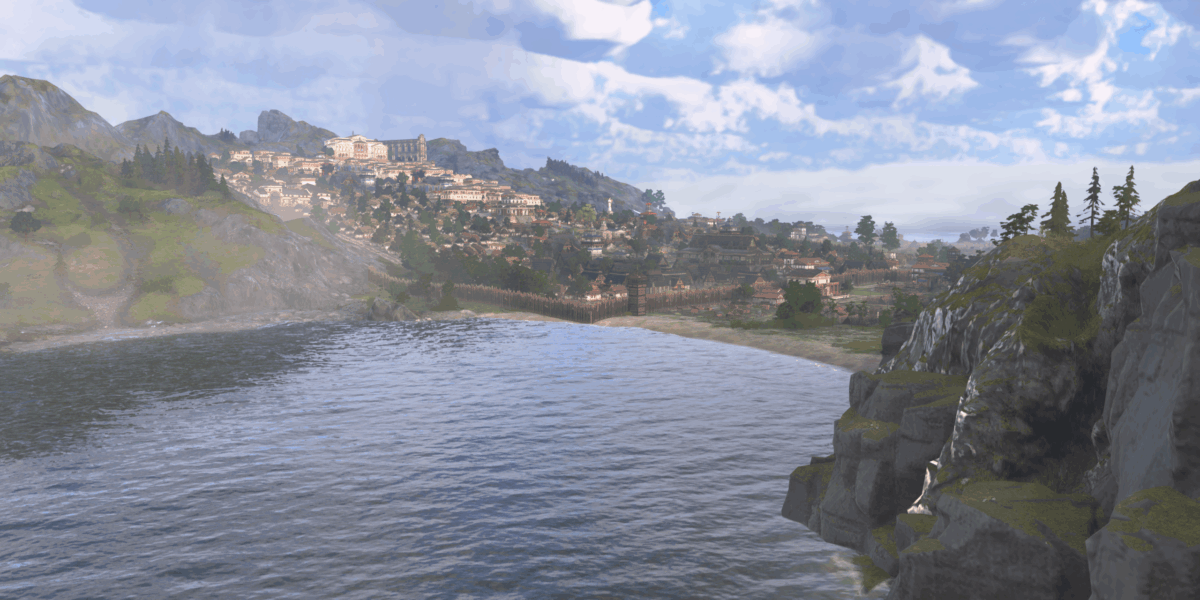
Anno 117: Pax Romana is a city-building strategy game. It’s a style that the team’s not used to, even if Discab remains our expert in this matter! So, it’s an opportunity to see how the genre has evolved in terms of accessibility.

| Type | City-Building Strategy |
| Publisher | Ubisoft |
| Developer | Ubisoft |
| Release Date | November 13, 2025 |
| Age Rating | 12 years and over |
| Physical | Visual | Hearing | Cognitive |
|---|---|---|---|
|
|
|
|
 Physical
 Visual
 Hearing
 Cognitive
 Full remapping
 Joystick necessary on console
Anno is a fairly old franchise, created in 1998 with the very first game Anno 1602. Each version is set in its own era! After the Renaissance, the Industrial Age and even the future up to 2205, this ninth installment of the series returns to Antiquity during the Roman Empire.

Anno 117 lets you manage the development of a Roman city, first and foremost in Latium. Then, you’re sent to the town of Albion, in old Britannia. You can play alone or with friends. You can also play in an open world, or follow a campaign. You’ll play the role of a young governor who is at the head of a colony at the orders of an aging emperor. Because of your loyalty to his family, you’re sent to the farthest reaches of the Roman Empire, to Albion, upon the Emperor’s passing.
Anno 117: Pax Romana is an (almost) real-time city-building strategy game. You have to manage a region, island by island, by settling your people there. You have to meet their needs, which become more and more complex as your colony grows more powerful. People become wealthy, then noble, and with each change, their needs increase. At every stage of development, they need utilities, food, clothing and entertainment.


For each element, a chain of production has to be created. If people only need cockles to eat, it’s just one building. But if a nobleman wants roast meat, you’ll have to raise livestock, mine charcoal for the cooks’ ovens, as well as add herbs, which also have to be grown. This chain of production is made all the more complex by the fact that each island has its own production facilities. Sometimes you’ll have to conquer the neighboring island to acquire the meadows that you’re missing, for example.


All the while, you have to take into account requests from the Emperor and your more-or-less bellicose neighbors! Culture, politics, religion, trade, and fire and epidemic control means that you have to plan for everything.
As you can imagine, this requires a great deal of planning, button handling, and moving around on the map, and these represent so many pitfalls for a disabled person. So, we’re going to take a look at the support available to compensate for all of this.
What if I have a physical disability? 8.5 / 10
Anno 117: Pax Romana is a city-building strategy game, so by definition, you’re going to have to place, arrange and organize dozens of buildings, fields and roads.
In concrete terms, from a physical point of view, this means that you’ll have to aim and orient your controller to place your buildings properly. For some structures, such as roads and fields, you’ll need to extend the project from Point A to Point B. This requires selecting and then pressing and holding.


Therefore, it will be necessary to have a good grasp of the actions involved in these rather specific aspects of joystick manipulation. In this respect, Anno 117 will make your job a whole lot easier. The game requires few controls, since it only uses nine keys. Basically, it uses back buttons and triggers, but you have the option of rearranging everything as you like. It’s perfect! You can also remove vibrations and set press length on keys and triggers. This will help a great deal with physical fatigue.
Then, for positioning, you’ll need to move using an analog controller, for example, a mouse on PC or a joystick on console. This requires fine motor control, but the game gives you quite a lot of control over these commands. Sensitivity can be adjusted according to the action being performed, for exmple, placement, or movement on the map. You can also adjust the joystick’s behavior by specifying internal and external dead zones. This means increasing the inner dead zone if you have uncontrolled movements. Or, to the contrary, if you have little strength, reduce external dead zones to allow you to reach maximum joystick movement more quickly, thereby demanding less effort to reach maximum travel speed, for example.


If handling joysticks is a real problem for you, then we recommend using the PC version of the game. On console, the joystick is still mandatory for moving around the map, even if you reconfigure it. Directions cannot be reassigned to keys, for example, but on PC, you can use arrow keys to move around, so there’s no need for a joystick.
Next, we’ll explain actions which involve pressing and holding. Anno 117 offers several options for avoiding these. Instead of holding and dragging to select a line and draw a route, for example, you can now do so with two clicks. Click to select the starting point and, without holding, move to the destination, clicking again to confirm the end of the road. This option is available for both roads and construction zones.


Then there’s the problem of responsiveness. The Anno series has always been a game played in real time. In other words, time passes, opponents move, and life goes by while you’re playing. Speed-ups are essential if you don’t want to wait for your chain of production to gear up. Until now, Anno has only allowed you to slow the game down to 0.5 at best, but that was before! In Anno 117: Pax Romana, the game can be paused, but it’s not a frozen pause. You can leisurely make your modifications and restart at normal speed once you’re ready. Note that this is only possible in solo mode, not if you’re playing in multiplayer or online mode.


You therefore have good command over controls and movement, especially on PC, as well as an in-game pause. The only consistant problem is in selecting buildings, since you have to select them by placing the cursor over them. A selection system by type, by moving from one doctor to another, for example, would be more practical. This can be done indirectly via the production management menu, but it’s far less intuitive.
What if I’m visually impaired? 6 / 10
We’re much more hesitant regarding visual accomodations, as there are some good points, but also some essential ones are also missing.
By the way, to be clear, Anno 117 won’t be playable if you have little-to-no remaining sight. In fact, you spend a lot of time moving between buildings, checking what’s needed and placing items. This is all done without audible pings. Since there isn’t any screen reader to tell you what type of buildings there are, their effects and locations, the game will be unplayable without a minimum level of sight.


That being said, there are several useful visual aids. The first is the ability to adjust UI scaling to suit your screen type, from a small monitor to a large TV. This will increase text size, as well as menus and interfaces.
Then, for text, you can increase the size and visibility of subtitles. Information panels can also be switched from pull-out displays to full-screen displays. It makes them easier to read.


Most in-game displays show up against the background, whether they are controls used when hovering over a building, production notifications, status icons or subtitles, and everything is either highlighted by a white outline, or cast against a dark gray background. Building effect zones are represented by white circles, which are not always visible against the background, but the positive or negative effects they trigger are clearly visible.
Several points of information are highlighted when a building is selected: the building and its production zone are surrounded by a white circle, as are all of the buildings to which it is linked. So, you can see the route to the nearest warehouse, and the services that are assigned to it, such as fire stations or nearby guards. If other buildings of the same type are nearby, you’ll see their icons. You can also see the roads it includes.


Let’s focus on this point, because the above-mentioned road runs through a dark green area. It’s a color that some people find hard to perceive. However, in the options, there are filters adapted to each type of color blindness to modify gameplay-related colors, including road trajectories. As a result, green becomes bright yellow, which is easier to see. Production colors are also affected.
During the game, there can be a lot of announcements, especially in Campaign Mode where the story keeps moving. There’s a menu for finding these alerts, but it’s in written form and there isn’t any screen reader. You can, however, select the notification text and click on it to be teleported to the cited location or open the relevant menu, such as the problematic trade route, for example.


So, we’ve got great aids and gameplay that focuses on highlighting key elements. There are a lot of icons to make the information a little more understandable than just numbers, and these icons are easily visible. This won’t be enough, however, for people with weaker vision, in the absence of a screen reader or specific sound ping.
What if I have a hearing loss? 8 / 10
As we have seen in previous versions, Anno 117: Pax Romana provides a wealth of information via its very comprehensive visual interface and very rich menus. Sound is therefore secondary in this type of game.
It’s still important as a source of alerts, though, because Anno 117 is a real-time game with a lot of interaction. There are campaign quests, epidemic and fire incidents, and interactions with other characters.


In these respects, the game makes good use of sound. Fortunately, it’s also paired with visible alerts in the UI. In the information menu on the right, alerts are indicated by icons, and notifications can be consulted at any time. The campaign is interspersed with cut-scenes and conversations.
In terms of format, there are a few interesting points to note. Firstly, you can adjust sound sources by category. This is quite common with Ubisoft games, but I noticed a detail that I don’t remember having seen very often. When you’re adjusting a sound, you hear ONLY that type of sound, such as voice, environment, and music with the master volume combining all of these sources at once. This will allow you to finely adjust balance without exiting the menu.
On the other hand, the possibilities don’t go any further than that by offering mixing or adapted frequency management. Since spatial immersion is not a predominant element in this game, it’s less impactful and relevant.
Subtitle size, background opacity and speaker color can also be adjusted. There aren’t many videos after leaving the campaign, so they’re less important. What’s more, conversations are often between two characters on-screen and are very rarely during cut-scenes.
Unfortunately, we didn’t get a chance to test multiplayer options with chat between participants. We’ll be sure to update this article as soon as we have all the information!
What if I have a cognitive disability? 6.5 / 10
Let’s start with the obvious: Anno: 117 Pax Romana is a complex game. That’s what city-building strategy games are all about. What you need to do is manage changing needs over time. Your inhabitants evolve through three stages of development, from peasant to nobility, in two different societies, Roman and Celtic.
From a cognitive point of view, this will require the ability to plan, understand production chains and interactions between all of these elements, such as fire risks or citizen happiness.
To compensate for this fundamental situation, the answer is support, and even more so than in any other type of game. Regarding this point, it’s hard to decide because everything’s there, but there’s so much of it, that it will necessarily be unsuitable for someone.


The fundamental question is, ‘Can I always find help to know what to do?’ Yes, because there’s a specific bar on the right that gives you access to important topics, such as quests, research, religion and trade. Also yes, because you receive an alert when you need to do something concerning a specific subject. Yes, because by looking at the UI, you can see at a glance whether your population is balanced, and what your resources are. Management menus are both visual and numerical to incorporate balance there as well.
However, there are so many things to think about and manage at the same time that you can quickly feel lost. Pausing the game is the solution! This gives you time to address each subject one by one, checking that everything’s going well before pressing ‘play’. The problem is that this is only possible in single-player mode. It’s understandable that it’s complicated to freeze everyone while one person makes their moves. A turn-based game would be more suitable if that’s what you’re looking for.
Now, let’s look at game difficulty. One of the great pleasures for city-building fans is the pressure the game puts on you to manage more and more things at the same time. So, dealing with this pressure will be essential to keep it fun.


Anno 117 gives you a fair amount of flexibility in this respect. For the campaign, you’ll be able to choose a general difficulty level, so it’s fairly limited. However, in open world mode, you can adjust EVERYTHING, including map size, the number of opponents and their degree of interaction. It’s a real sandbox. Of course, you need to be able to understand the details well enough to be able to compare.
So on paper, support and difficulty management are effective for finding your own rhythm and level of challenge. However, since you need to know where to go to adjust everything properly, it’s going to be complex for a whole section of people with cognitive disabilities. This is certainly where an AI that adjusts the game for you according to your play style would be particularly effective.


The other important point regarding cognitive accessibility is managing the flow of information on-screen. All it takes is one glance at the screen to realize that there’s a whole lot of information there! The options will give you control over certain areas, such as notification displays or incident alert sounds.
Anno 117: Pax Romana therefore features a number of tools for adapting game difficulty and customizing your game. It helps you in the early stages by providing comprehensive explanations. Each panel that opens up has a point of information to explain how something works. These explanations are illustrated, but without a screen reader, they will remain difficult to understand if you have reading difficulties.
Hence our difficulty in assessing the cognitive aspect: the tools and aids offered are good, but the complexity of the game will be insurmountable by definition for some players with cognitive disabilities. It’s impossible to play such a game without knowing how to establish and apply a strategy.
Notre avis
Anno 117: Pax Romana has put a lot of effort into accessibility features, with some rather exceptional ones such as sound adjustment assistance and fine-tuning controllers. So, we think that as far as city-building strategy games go, it’s a good example.
The ability to pause the game altogether is also a key point for many players who need time or find it difficult to react to constant changes.
However, its limitations come essentially from the type of game that it is, which is a complex, settings-rich city-building strategy game. Despite good support, certain people will still be overwhelmed and won’t be able to use the game due to issues related to understanding and perception.