
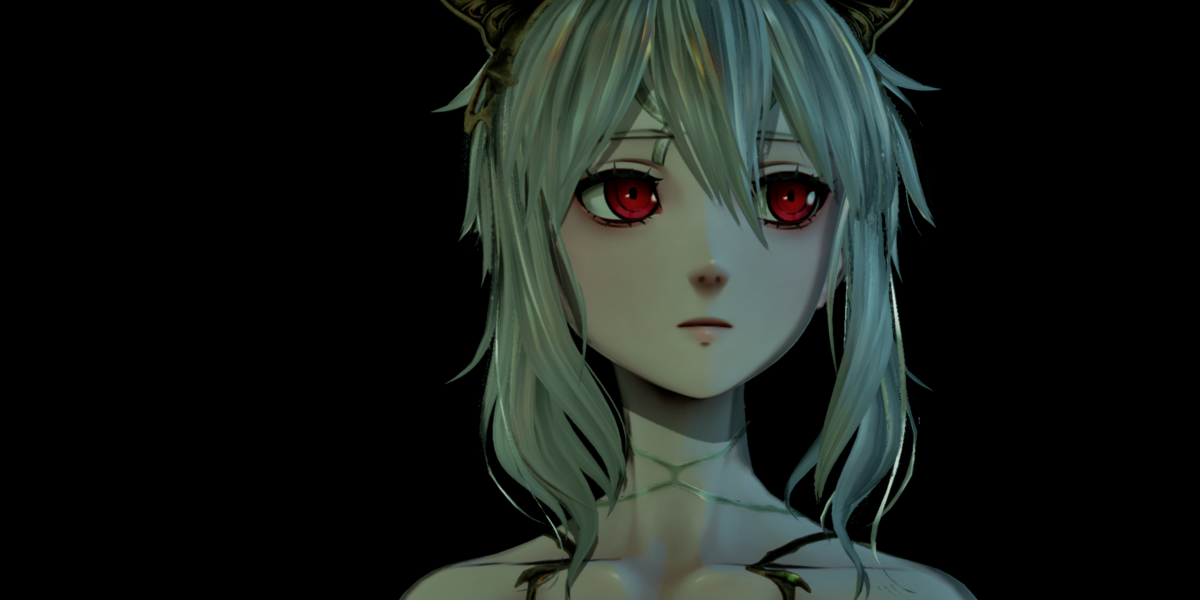
Code Vein 2 is a Japanese action role-playing game that brings us back to our favorite genre after discovering the metroidvania style earlier this year.

| Type | RPG / Action |
| Publisher | Bandai Namco Studios |
| Developer | Bandai Namco Entertainment |
| Release Date | January 30, 2026 |
| Age Rating | 16 years and over |
| Physical | Visual | Hearing | Cognitive |
|---|---|---|---|
|
|
|
|
 Physical
 Visual
 Hearing
 Cognitive
 Full key remapping
  All keys used
After seven years, Bandai Namco returns with the Code Vein series. This Dark Souls-style action game builds on the bases of the first game, while also retaining its shortcomings. During the pre-tests, I had the opportunity to speak with a player who had finished the game, and we generally agreed in our conclusions. Code Vein 2’s environments are varied and its story is gripping, but it suffers from repetitive mobs that are lost on fairly empty areas.
You’ll play the role of a Revenant Hunter, since in this world, the living and the dead live side-by-side. Accompanied by Lou, a Revenant, you’ll explore the past to find Heroes and prevent the destruction of the present.
Let’s talk about gameplay! Action and RPG are two terms that remind us about the basics of this type of game. You’ll first fully customize your character right down to the voice, which consists of a few grunts. This customization takes place above all in gameplay development: the weapon, the blood code that gives the game its name, the ally that accompanies you, the gear… you’ll be able to fine-tune your character and the way you play. You can then switch from one profile to another to adapt to each battle situation.


There’s also plenty of fighting. In fact, while in-world battles can be a bit far away and repetitive, arena bosses will give you a Dark Souls feel. They’re tough, agile, and you’ll have to keep a close eye on their strategies to adapt to them with the right setup profile.
In terms of exploration, the game is set in a semi-open world hidden by a fog of war. It’s hard to know where you’re going when you first set out to explore the map, given that there are several zones depending on the era, since you’re traveling through time.


So, we’re in a type of game that we know is very demanding, especially since it has the combat demands of Dark Souls, and the RPG demands of a thousand and one gameplay possibilities. Game options will therefore be essential so that people with disabilities can access this type of game. So let’s take a closer look together!
What if I have a physical disability ? 6 / 10
Code Vein 2 is both hot and cold in regard to physical disabilities. On paper, there are some good features that are supposed to meet quite a few needs, but in practice, it remains complicated.
Let’s start by getting the hang of the game. In principle, it’s quite good, since you can freely remap all game actions, and even switch a key combo to a single key. It’s exactly what you’d expect from a game.
Its problem is that there are a lot of acitons, 28 to be precise. Since your only choice is a single button press, with some fifteen buttons usable on a joystick, you have no choice but to use key combos for certain actions. At least you can choose your priorities and which actions to put on the back burner, for example, those that you can do at your leisure.


Regarding the controls, there are options that will allow you to avoid holding down keys. This is the case for aiming bows, for example.
Regarding sensitivity, it’s perfect. You can set camera sensitivity and axis inversion for each activity: base, motorcycle, bow, longbow, machine gun and photo mode.
There’s also a button that automatically repositions the camera behind you, both horizontally and vertically. In other words, as you move forward, press this button and the camera will return to its default position on its own. The movement is quite sudden and can be disorientating.


You can lock the camera onto the nearest enemy. There are also a certain number of options to help you manage combat. One option, for example, enables automatic target switching after an enemy’s death, so there isn’t any need to look for the next one with the camera. Another option lets you strike the nearest enemy without aiming. So, that’s another setting that reduces the need for a camera.
On paper, these settings allow you to concentrate on joystick movement only, while the camera follows you, and you can refocus the camera with a single button press in battle so it automatically moves from one enemy to the next. What’s more, if you strike without aiming, the nearest enemy will take the hit. So, in theory, you can play with just one joystick. Playing one-handed is still not enough though, given the number of keys required, but it’s already a great start!
In practice, it’s not perfect and it seems that you’ll still need to have the enemy in sight for combat tracking settings to work. Since the camera is rather temperamental with highly agile enemies, combat management remains tense, especially against bosses, who will require you to carefully observe their combat patterns in order to adapt by choosing the right weapons and attacking at the right time.
Your ally can either stay beside you to help you, or merge with you for bonuses. Having your ally beside you can allow it to tank the enemy while you remain a distance away, and this can be a way to avoid too much close combat. However, it’s less effective in terms of damage.


Note also that there isn’t any automatic collection of objects on the ground, but fortunately, collecting them is easy and doesn’t require aiming. You just need to be nearby. On the other hand, this means a lot of extra button presses, which can be tiring for your hand.
Moreover, in terms of fatigue, there’s a major potential problem, because there isn’t any way to pause combat! It’s rare not to have any active pause, but with this game there isn’t any pause at all. Opening the menu won’t stop the battle. So once you’ve started the battle, you have to see it through to the end, and for a boss, it can take a long time and be quite tiring. You’ll need to make the most of exploration phases to regain your strength.
Code Vein 2 offers interesting features such as full remapping and camera automation, but basic gameplay remains demanding, and there aren’t any difficulty levels. So, that’s going to leave a lot of people on the sidelines.
What if I’m visually impaired? 3,5 / 10
Regarding visual impairments, we’re on a whole different level in terms of accessibility. Quite simply, apart from brightness and display quality, the graphics menu is empty!
However, some of the settings mentioned above will be very useful. It helps to have a camera that refocuses and stays focused on the enemy, and auto-aim is great, too. You’ll be much less dependent on aiming, and we like that. However, with a rebellious camera, it’s not totally effective. We’re still a long way from Spiderman 2 in this respect, for example.


However, beyond these few settings for aiming, the rest is going to be rather problematic. For example, let’s talk about color management. You don’t have any settings or filters to modify colors. Of course, red is used extensively, both in the game interface and in menus. Since the menus are very extensive, using shades of red and blue for resistance, for example, a color-blind person would have difficulty seeing all this.
The same applies in-game. Objects on the ground are very shiny, but the color indicating rarity is also important to avoid running to the other end of the zone and fighting enemies just to pick up shrimp, for example. Color management is therefore problematic, but color, and especially contrast, is a fundamental problem with Code Vein 2.
On the map, the background is in shades of ochre and brown, and important points and roads are in gold. In other words, they’re not very contrasted. In game, the compass at the top of the screen is small and is lacking in contrast, in white with no background. The in-game menu interface is superimposed, so it’s not very large and can’t be modified. Only subtitles are well-made and adjustable. That’s important for a game in English with subtitles. [sic.]
Another problem is that enemies don’t stand out and aren’t easily identifiable from a distance. Worse still, some will crouch and jump at you as you approach. Their health bar only appears after you hit them for the first time, and very few sound cues indicate their presence.
Speaking of sound support… the game is in an open world. Also, as you may have guessed, there aren’t any sound cues nor any redirection towards the target. As a result, Code Vein 2 is unplayable for the visually impaired.
However, your character will stop running when faced with an obstacle, so footfalls can thus be used as a cue when you’re exploring. On the other hand, there aren’t any alerts when you’re going to fall. So, watch out for cliffs – death is at the bottom and you won’t respawn at the point where you fell off, so it can quickly get confusing.
This means that there are color management problems, with often poorly-contrasted textures, especially inside, as well as a lack of sound cues. So yes, in-combat gameplay is still assisted by auto-aim, but for the rest, Code Vein 2 is going to stump a lot of people.
What if I have a hearing disability? 6,5 / 10
Regarding hearing, Code Vein 2 remains a game where a lot of information is visual, like many other games. All in all, then, this is a playable game.
Sound is well-managed, with a clear distinction between ambient and useful sounds, both in menus and in-game. You can also switch the sound to mono for balanced listening if you have unilateral hearing loss.


To follow the adventure, you’ll need subtitles. They’re adjustable, so you can change their size by ten degrees, give them a more-or-less opaque background, and display subtitles even when you’re not talking. That’s useful when exploring. You can display the speaker to find out who is speaking. On the other hand, there isn’t any information specifically for ambient noises, characters’ tones of voice, and anything else that’s non-verbal. So, you’ll be missing out on some information.
In particular, there aren’t any subtitles when your ally talks to you while also being merged with you to grant bonuses. All you can see is a sound wave on its portrait in the lower left-hand corner indicating when it’s speaking, but without text. It’s a pity, especially since your ally will sometimes talk to you to draw attention to a nearby chest, for example.
In terms of gameplay, the big challenge will be to know where your opponents are. They don’t appear on the compass or mini-map, however, once you’re in the thick of the action, there’s barely any information on the position of enemies beyond your field-of-vision. In other words, unless you regularly turn the camera towards yourself, you’re going to receive a lot of surprise attacks.
Auto-attacks, one of the settings, are directed towards the nearest enemy and only work on visible enemies. Don’t count on it making you turn around to spot enemies from behind.
So, you should be able to play Code Vein 2 without any sound, but always stay on the alert, since you don’t know when an attack will strike you from behind!
What if I have a cognitive disability? 3,5 / 10
As we all know, open-world adventure games are always quite demanding for cognitive disabilities. There’s lots to do, and a fair amount of character, resource, and equipment management. However, it’s all a question of dosage, and in Code Vein 2, the dose is strong!
In fact, one of the main gameplay mechanics will be to confront the environment and, above all, bosses on a regular basis. To get through it all, you’ll have to observe your enemy and how it attacks during different phases. You then have to adapt your attacks by hitting at the right moment, and choosing the right character configuration.


When it comes to character management, you’re in for a treat! The game lets you change everything: your character’s stats and gear, as is often the case, but here they’ve added even more layers of customization. There are formae, which are special attacks. Each weapon can be customized. There’s a whole aspect of resistance and fragility to different sources of damage. In short, there are tons of possibilities and you need to know them well to choose the right ones for each boss.
There’s a training room in the basement of the main base. Take the time to find it and test your techniques, to understand how it all works, because it isn’t all explained to you.
As is often the case in this type of game, you’re presented with a screen full of text, explaining gameplay aspects as you go along but without a screen reader. They can be found for review if you like, but not easily. You have to go to the map and then the quest journal, which has a tutorial section. However, on most menus, there’s a “help” section when you press the right trigger.
So, learning the game is going to be pretty complex and confusing, all with a lot of text. By the way, Code Vein 2 audio is in English, so writing is essential to follow the story using the subtitles. [sic.]
As for finding your way in the game, there isn’t any in-game reminder of what the scenario is or what you have to do. It’s in the Quest Log. However, you can manually pin useful points on the map. When you return to the game, these pins will be identified by a bundle of light visible from a distance, as well as on the compass.
Note that position is relative. The beam is sometimes only visible on the surface whereas the quest may be underground. It’s up to you to find the entrance to the underground, which can be a little ways away. Regarding orientation, there’s a mini-map when you enter a location, but it’s quite limited. At the entrance, you often only see your recent route. You often have a “blocker” in the play area. It’s a type of plant that must be destroyed for the map to re-appear.
To save your game progression, there are regular save points. There’s always a save point just before you meet a boss. This is where you recover all your energy and health to ensure that the battle is carried out in the best possible conditions. However, since your character is quite fragile, you’re likely to die a lot before you figure out how to manage it.
So, it’s a technical game in terms of character management and demanding in a Dark Soul-style combat way. Inevitably, this is going to be a problem for a lot of people who find it hard to deal with these aspects and prefer something more intuitive. There aren’t any difficulty settings, which makes Code Vein 2 difficult in regard to accessibility!